
Kong Kong King King King AI Video Generator
Turn two photos into your own Kong Kong King King King AI video. Recreate the viral keyboard duo with your favorite faces—no prompt or video editing needed.
Upload two photos
Photo 1 becomes the keyboard player. Photo 2 becomes the expressive partner. Use one clear portrait for each role.One clear photo for each role.
photo 1Keyboard player
photo 2Dance partner
JPG, PNG or WebP · Max 10 MB per photo
Alors on Danse Sound included
Video generation uses paid Credits · Packs from $9.99Video generation uses paid Credits · Packs from $9.99
EXAMPLE OUTPUT2 photos → 1 video
EXAMPLES
Kong Kong King King King AI Video Examples
Watch real results created with our shared two-photo keyboard performance template, featuring people, characters and animals.
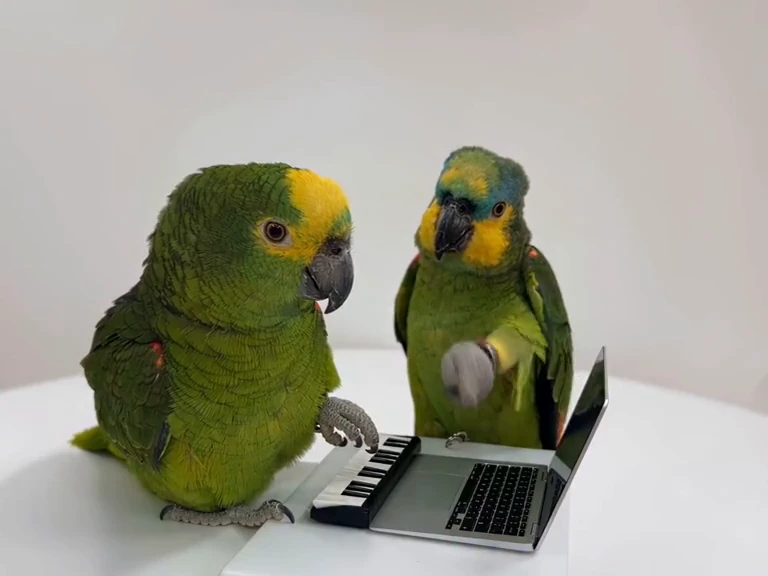
HOW IT WORKS
How to Make a Kong Kong King King King AI Video
01
1. Upload Two Photos
Upload one clear portrait for each role. Photo 1 is the keyboard player; Photo 2 is the expressive partner.
02
2. Use the Alors on Danse Template
The white-studio scene, two-person movement and role timing are already built into the template. No prompt is required.
03
3. Generate Your Video
Generate the video, preview the finished result in your browser and download it.
SOURCE SCENE
THE TREND
What Is the Kong Kong King King King Meme?
Kong Kong King King King is a sound-based nickname for the memorable keyboard sketch featuring Stromae and Jamel Debbouze in Made in Jamel (2010). Fans use it to identify the rhythmic two-person white-studio scene. Today's AI remakes place new faces into the keyboard-player and expressive-partner roles. This is also widely described as the Alors on Danse AI video trend.
Kong Kong meme and video guide →Use photos and likenesses you have the rights and permission to use.TWO ROLES
The Two Roles in the Alors on Danse AI Video
The two photos are not interchangeable: each one maps to a different role in the final video.
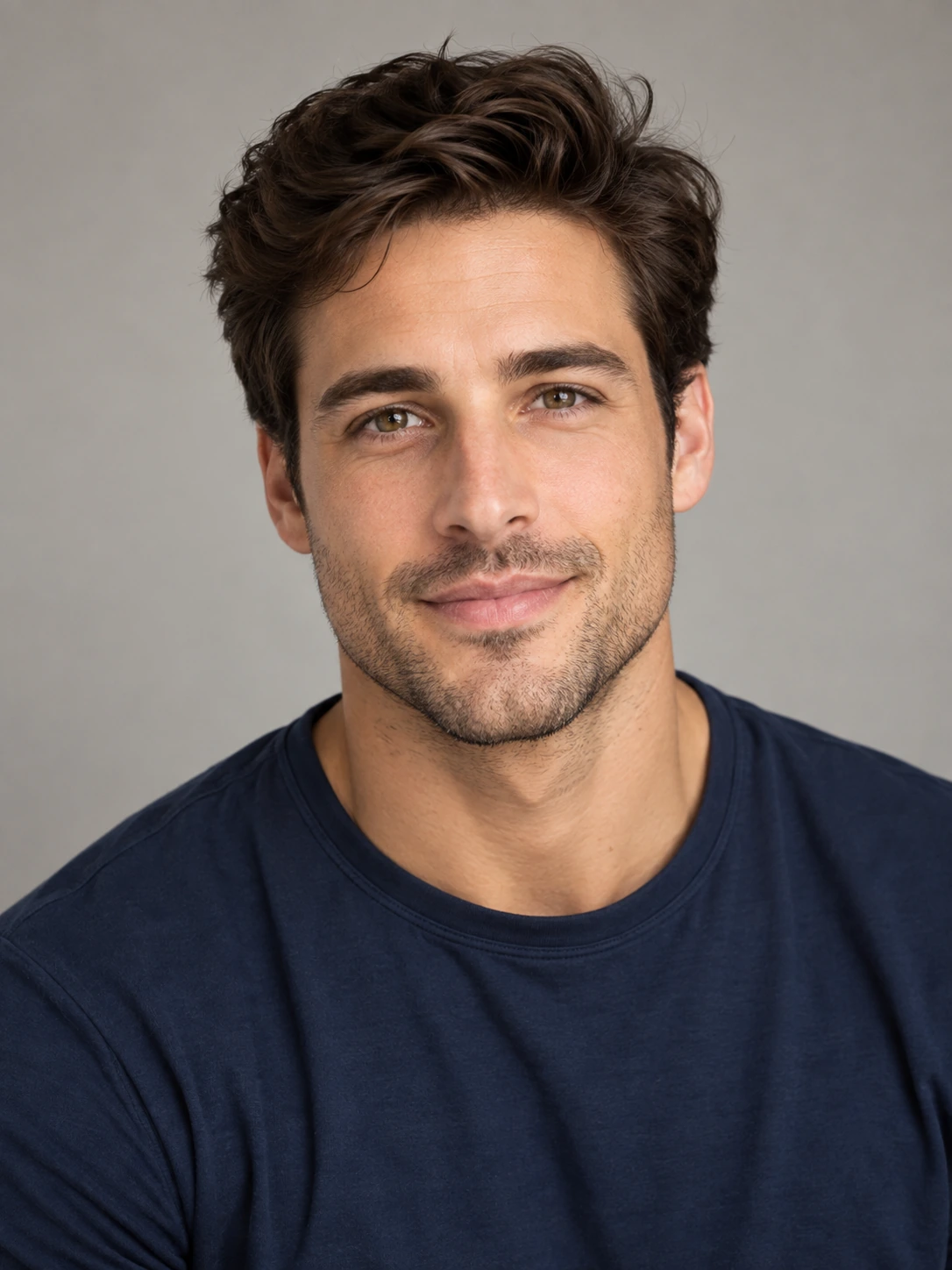
Photo 1 · Keyboard Player
Keyboard Player
The calmer role at the compact keyboard and laptop.
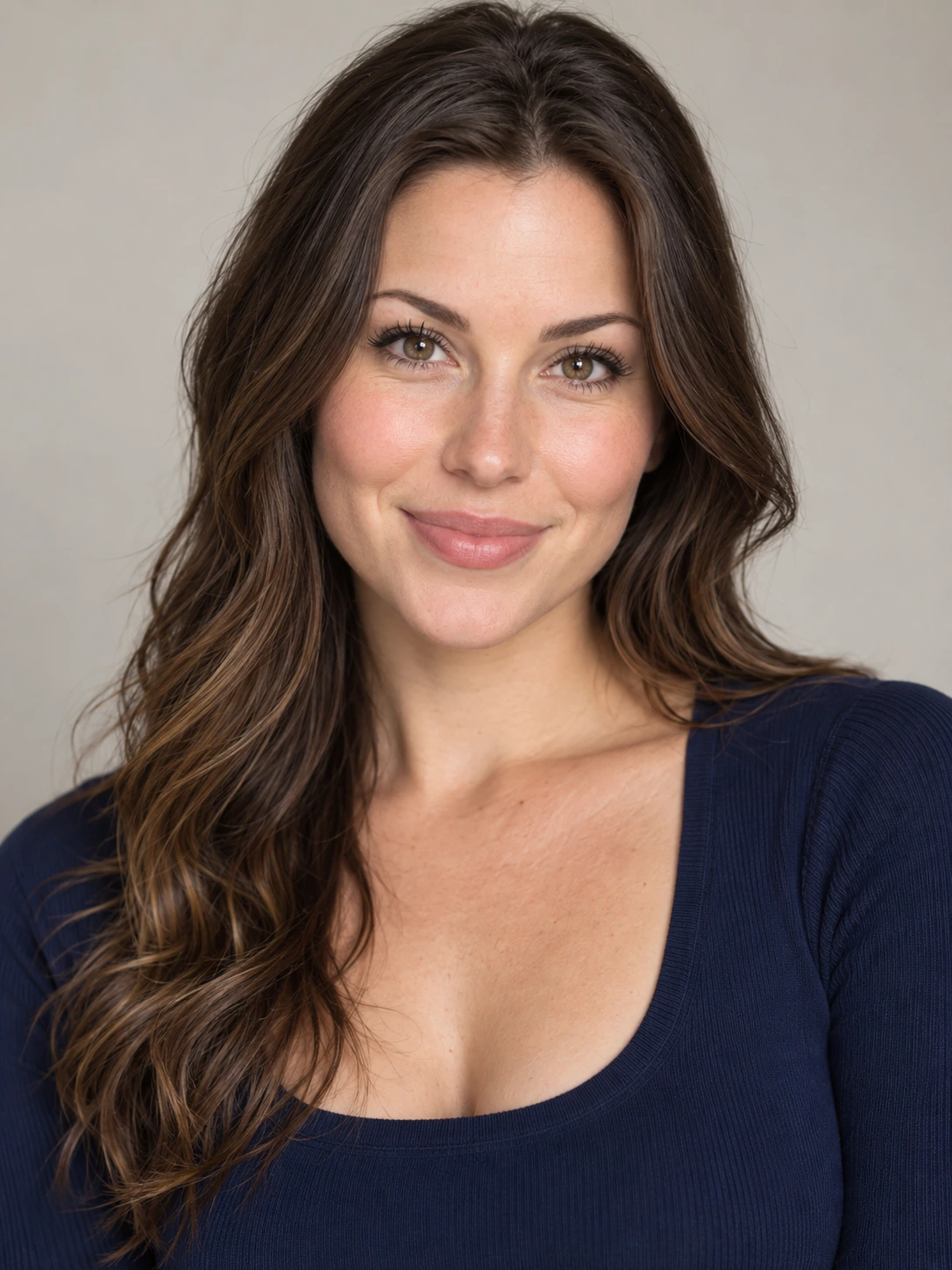
Photo 2 · Expressive Partner
Expressive Partner
The more animated role — often called the hype partner — with gestures, reactions and camera-facing movement.
FROM PHOTOS TO VIDEO
See How Two Photos Become an Alors on Danse AI Video
These two portraits were used to create the video on the right. The first person plays the keyboard; the second becomes the expressive partner. This is an actual AI-generated example, not the original scene.
What Photos Work Best?
- Use one clearly visible person in each photo
- Prefer front-facing or slightly angled portraits
- Use good lighting and avoid heavy blur or occlusion
ORIGIN
Where Does the Alors on Danse AI Trend Come From?
The source scene is a scripted comedy sketch featuring Stromae and Jamel Debbouze in Made in Jamel (2010), not documentary studio footage. The current AI trend keeps that familiar two-person setup while recasting both roles with new people, characters or animals.
CREATE TOGETHER
Who Can You Make an Alors on Danse AI Video With?
Pick two clear portraits, even if they were taken separately. Put two people into the same white-studio duo scene and make a video worth sharing.
01
Best Friends
Put yourself and a friend in the same viral keyboard video, even when you are miles apart.
02
Couples
Turn a portrait of you and a portrait of your partner into a playful two-person performance.
03
Birthday Surprise
Make an unexpected video with the birthday person and a friend as the two performers.
PRICING
Simple one-time Credit Packs.
Buy Credits once. Create 720p videos without subscriptions or automatic renewal.
ONE-TIME
Starter
$9.99one-time payment
Credits included
50 Credits
1 video at 720p
Or 2 480p videos
Credits do not expire under the current Pay Once terms. · No automatic renewal.
ONE-TIME
Creator
$19.99one-time payment
Credits included
105 Credits
2 videos at 720p
5 Credits remaining
Credits do not expire under the current Pay Once terms. · No automatic renewal.
ONE-TIME
Studio
$29.99one-time payment
Credits included
160 Credits
3 videos at 720p
10 Credits remaining
Credits do not expire under the current Pay Once terms. · No automatic renewal.
Video counts are based on 720p. 480p and 1080p require different Credits. Applicable taxes may apply. View video counts
Is Kong Kong King King King the same AI trend as Alors on Danse?
These names often refer to AI remakes of the same white-studio keyboard comedy scene featuring Stromae and Jamel Debbouze. Kong Kong King King King recalls the beat sounds, while Alors on Danse is the associated song and trend name.
What is the Kong Kong King King King AI video?
It is an AI recreation of the two-person keyboard comedy scene associated with Stromae and Jamel Debbouze. You can make your own version using two portraits.
Is Kong Kong King King King the same as Alors on Danse?
For this AI meme, yes: both names commonly identify the same white-studio performance format. You do not need a different template.
Do I need the original video to make it?
No. The reference performance and timing are built into the generator. Upload your own two portraits; generation uses paid Credits.
How many photos do I need?
Two photos: one clear portrait for each person in the final video.
Can I use two photos taken separately?
Yes. The two people do not need to be together in one photo. Upload one clear portrait for Photo 1 and another for Photo 2, even if they were taken on different days or in different places.
Do I need to install an app or download a template?
No. Use the generator in your browser. The Alors on Danse scene template is built in, so there is no app to install or template file to download.
What are the two roles in the video?
Photo 1 is the calmer keyboard player at the compact keyboard and laptop. Photo 2 is the expressive partner with gestures, reactions and camera-facing movement.
Is the Alors on Danse AI trend a filter?
It is better described as a two-photo AI video template or generator than a live camera filter. You upload two portraits, the template assigns the two roles and creates the white-studio video.
Do I need to write a prompt?
No. The scene and performance structure are built into the template, so the main input is your two photos.
Make your own Kong Kong King King King AI video
Upload two portraits and generate your version of the white-studio keyboard duo. No manual prompt or video editing required.