
Alors on Danse AI Video Generator
Upload two photos to create the viral Alors on Danse AI video. Photo 1 is the keyboard player; Photo 2 is the expressive partner. The built-in template recreates the white-studio scene and movement automatically — no prompt or manual editing required.
Upload two photos
Photo 1 becomes the keyboard player. Photo 2 becomes the expressive partner. Use one clear portrait for each role.
JPG, PNG or WebP · Max 10 MB per photo
Alors on Danse Sound included
EXAMPLE OUTPUT2 photos → 1 video
EXAMPLES
Alors on Danse AI Video Examples
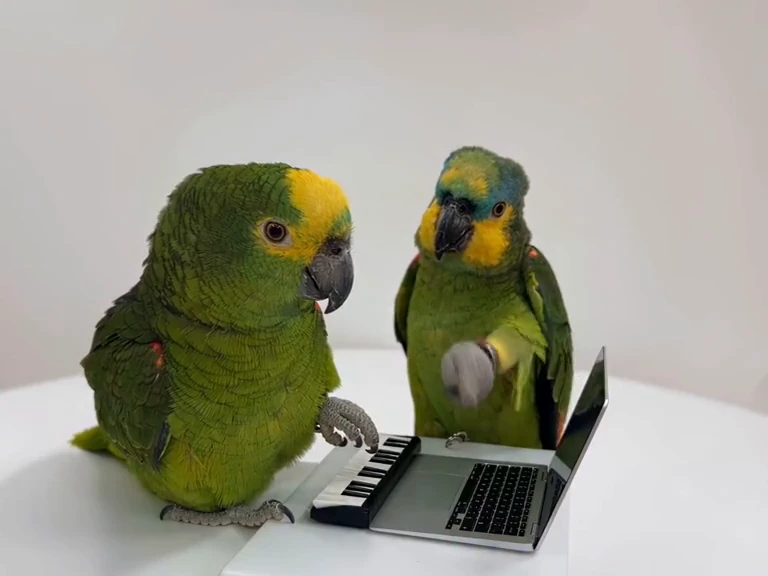
Real Alors on Danse AI videos generated from two-photo inputs, including human, character and animal pairs.
HOW IT WORKS
How to Make an Alors on Danse AI Video
01
1. Upload Two Photos
Upload one clear portrait for each role. Photo 1 is the keyboard player; Photo 2 is the expressive partner.
02
2. Use the Alors on Danse Template
The white-studio scene, two-person movement and role timing are already built into the template. No prompt is required.
03
3. Generate Your Video
Generate the video, preview the finished result in your browser and download it.
SOURCE SCENE
THE TREND
What Is the Alors on Danse AI Trend?
The Alors on Danse AI trend recreates the recognizable white-studio two-person scene associated with Stromae and Jamel Debbouze. One role stays around the compact keyboard and laptop while the other brings the more expressive gestures and reactions. You may also see the format described as the Alors on Danse AI meme, the Stromae AI trend, or the white-studio keyboard meme.
Use photos and likenesses you have the rights and permission to use.TWO ROLES
The Two Roles in the Alors on Danse AI Video
The two photos are not interchangeable: each one maps to a different role in the final video.
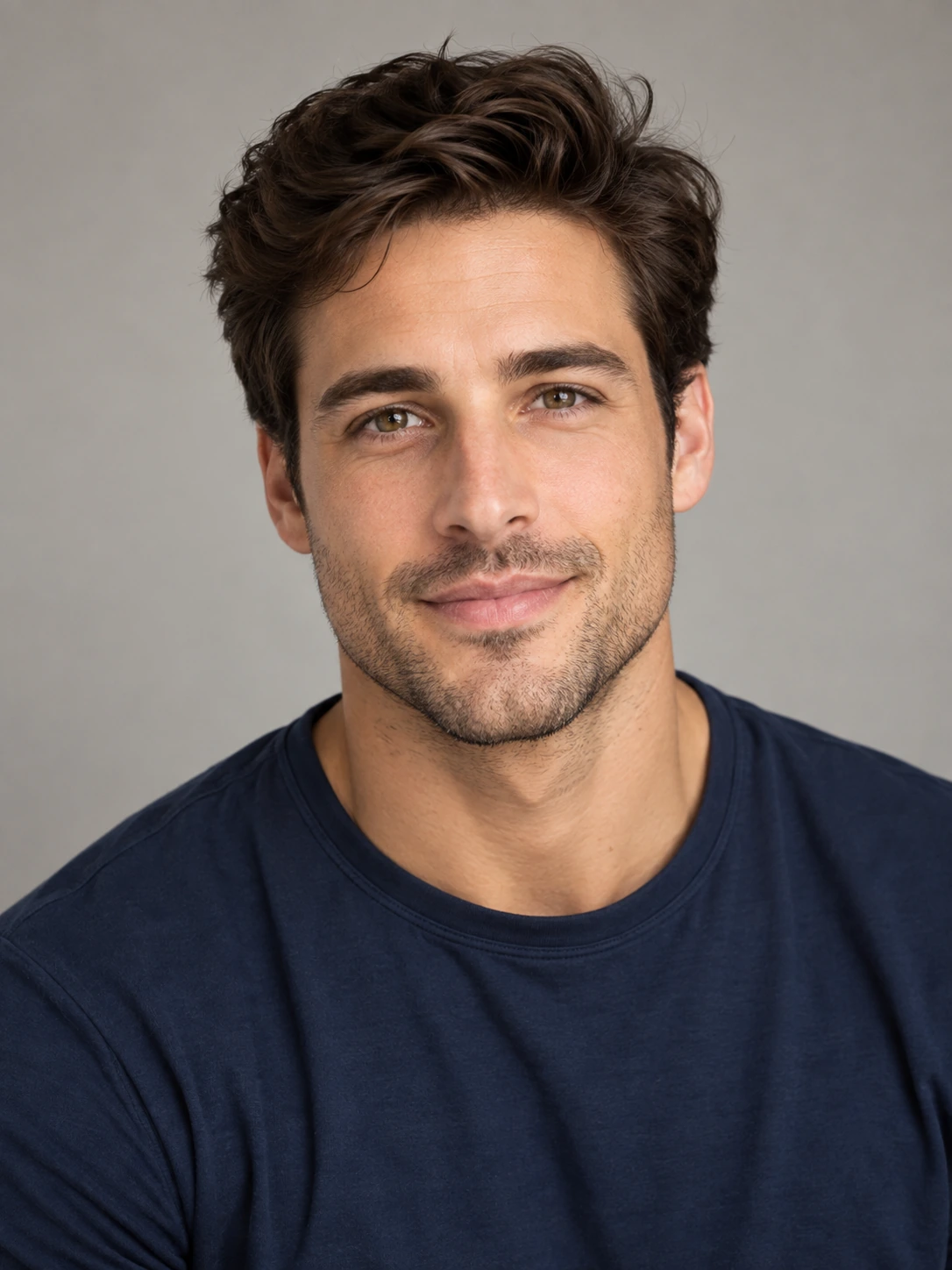
Photo 1 · Keyboard Player
Keyboard Player
The calmer role at the compact keyboard and laptop.
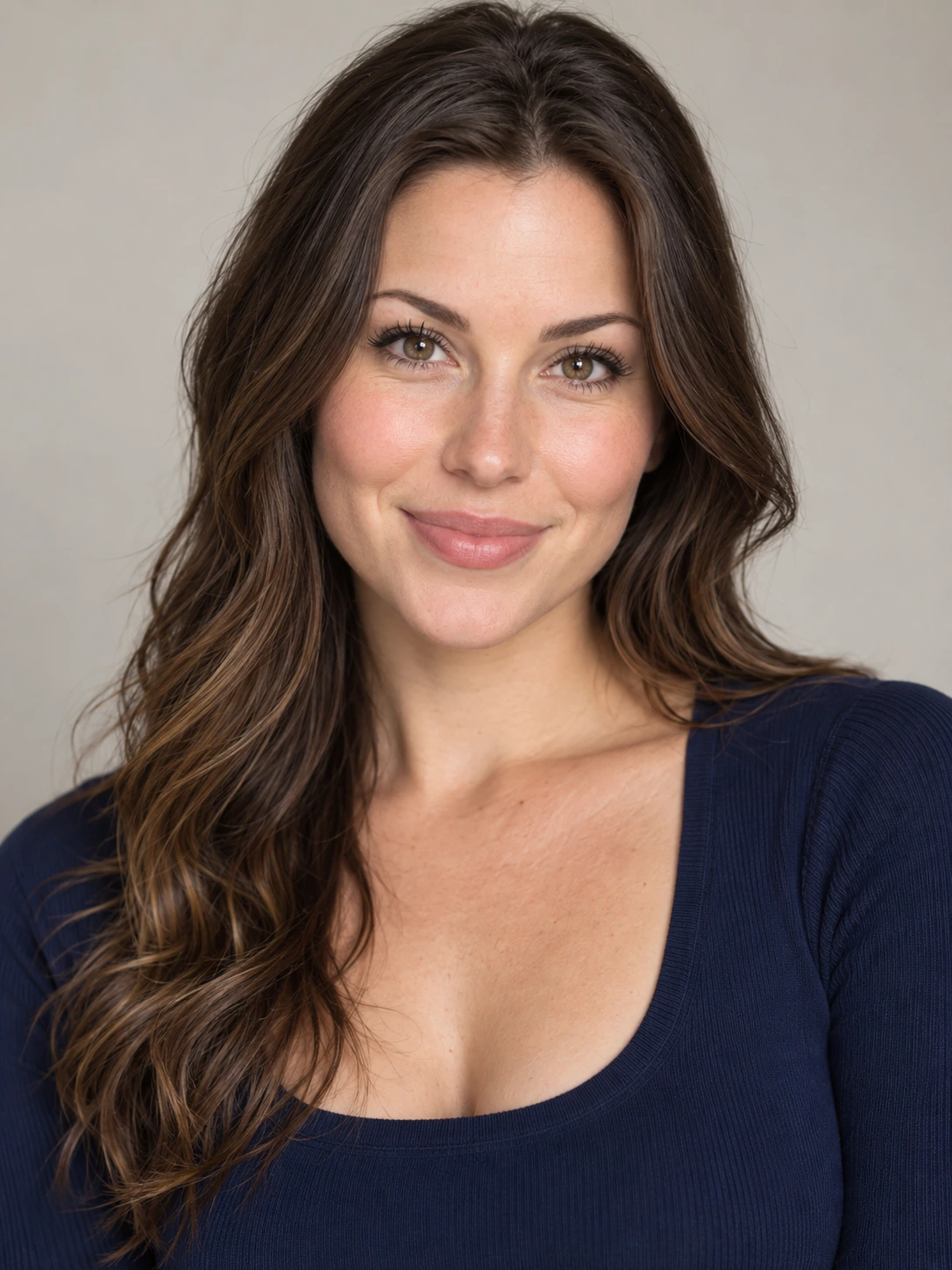
Photo 2 · Expressive Partner
Expressive Partner
The more animated role — often called the hype partner — with gestures, reactions and camera-facing movement.
FROM PHOTOS TO VIDEO
See How Two Photos Become an Alors on Danse AI Video
These two portraits were used to create the video on the right. The first person plays the keyboard; the second becomes the expressive partner. This is an actual AI-generated example, not the original scene.
What Photos Work Best?
- Use one clearly visible person in each photo
- Prefer front-facing or slightly angled portraits
- Use good lighting and avoid heavy blur or occlusion
ORIGIN
Where Does the Alors on Danse AI Trend Come From?
The source scene is a scripted comedy sketch featuring Stromae and Jamel Debbouze in Made in Jamel (2010), not documentary studio footage. The current AI trend keeps that familiar two-person setup while recasting both roles with new people, characters or animals.
CREATE TOGETHER
Who Can You Make an Alors on Danse AI Video With?
Pick two clear portraits, even if they were taken separately. Put two people into the same white-studio duo scene and make a video worth sharing.
01
Best Friends
Put yourself and a friend in the same viral keyboard video, even when you are miles apart.
02
Couples
Turn a portrait of you and a portrait of your partner into a playful two-person performance.
03
Birthday Surprise
Make an unexpected video with the birthday person and a friend as the two performers.
PRICING
A plan for every kind of creator.
Try one video with Pay Once, create more with Monthly, or save on Credits with Yearly.
ONE-TIME
Pay Once
Ideal for trying your first video.
$4.99one-time payment
$0.20 per CreditPay once. Create anytime.
YOUR CREDITS25 CreditsCredits granted once
VIDEO CAPACITYOne-time purchase
Up to1video
- Credits do not expire under the current Pay Once terms.
- No automatic renewal.
MONTHLY
Creator Monthly
For creators who make videos regularly.
$29.99/ month
$0.18 per Credit11.6% lower cost per Credit
YOUR CREDITS170 Credits each monthCredits granted each paid month
VIDEO CAPACITYPer paid month
Up to6videos
- Monthly Credits expire at the end of their paid billing period.
- Renews monthly until canceled.
BEST CREDIT VALUESAVE 16.6% VS MONTHLY
Creator Yearly
Pay annually for the lowest cost per Credit. Credits arrive every month and roll over within the paid annual term.
$299.99/ year
$0.15 per CreditSave $59.89 per year
YOUR CREDITS170 Credits each month2,040 Credits across 12 monthly grants
VIDEO CAPACITYOver a full paid year
Up to81videos
Annual estimate assumes all 12 monthly Credit grants. Credits are not available upfront.- Unused Yearly Credits expire at the end of the paid annual term.
- Renews yearly until canceled.
Maximum video counts are based on 480p at 25 Credits per 16-second video. Higher resolutions use more Credits. Prices exclude applicable taxes.
Which AI model powers these videos?
Our fixed 16-second workflow uses Seedance 2.5 Reference-to-Video. The model is fixed; you can select 480p, 720p or 1080p. Full Credit costs are on the Pricing page.
Is the video generator free?
No. Video generation uses Credits. Plans start at $4.99 for 25 Credits, enough for one 480p video. Monthly and Yearly plans are also available. Buy Credits with secure checkout.
What is the Alors on Danse AI trend?
It is a two-person AI recast of the recognizable white-studio scene associated with Stromae and Jamel Debbouze. The scene keeps its keyboard-and-laptop setup and contrasting two-person performance while new characters take the two roles.
How do I make an Alors on Danse AI video?
Upload one clear portrait for each person, keep the built-in Alors on Danse template, then generate and download the finished video. You do not need to write a prompt or edit the scene manually.
How many photos do I need?
Two photos: one clear portrait for each person in the final video.
Can I use two photos taken separately?
Yes. The two people do not need to be together in one photo. Upload one clear portrait for Photo 1 and another for Photo 2, even if they were taken on different days or in different places.
Do I need to install an app or download a template?
No. Use the generator in your browser. The Alors on Danse scene template is built in, so there is no app to install or template file to download.
What are the two roles in the video?
Photo 1 is the calmer keyboard player at the compact keyboard and laptop. Photo 2 is the expressive partner with gestures, reactions and camera-facing movement.
Is the Alors on Danse AI trend a filter?
It is better described as a two-photo AI video template or generator than a live camera filter. You upload two portraits, the template assigns the two roles and creates the white-studio video.
Do I need to write a prompt?
No. The scene and performance structure are built into the template, so the main input is your two photos.
Does the video include sound?
The product workflow is designed around a complete performance with matched sound rather than a silent motion clip.
Where does the original scene come from?
The white-studio scene comes from a scripted Stromae and Jamel Debbouze comedy sketch in Made in Jamel (2010), not documentary studio footage.
Is this an official Stromae product?
No. AlorsOnDanseAIVideo is an independent creative tool and does not claim affiliation with or endorsement by Stromae, Jamel Debbouze, their labels or other rights holders.
Make your Alors on Danse AI video.
Upload two portraits, generate the two-person performance and download the result.